
See book sales right on Amazon
While you browse Amazon books, every title shows estimated monthly sales, monthly revenue and BSR. While you set up a book in KDP, get categories and the 7 backend keywords suggested in one click.
Works with a free account; calls count toward your plan.
Book pages
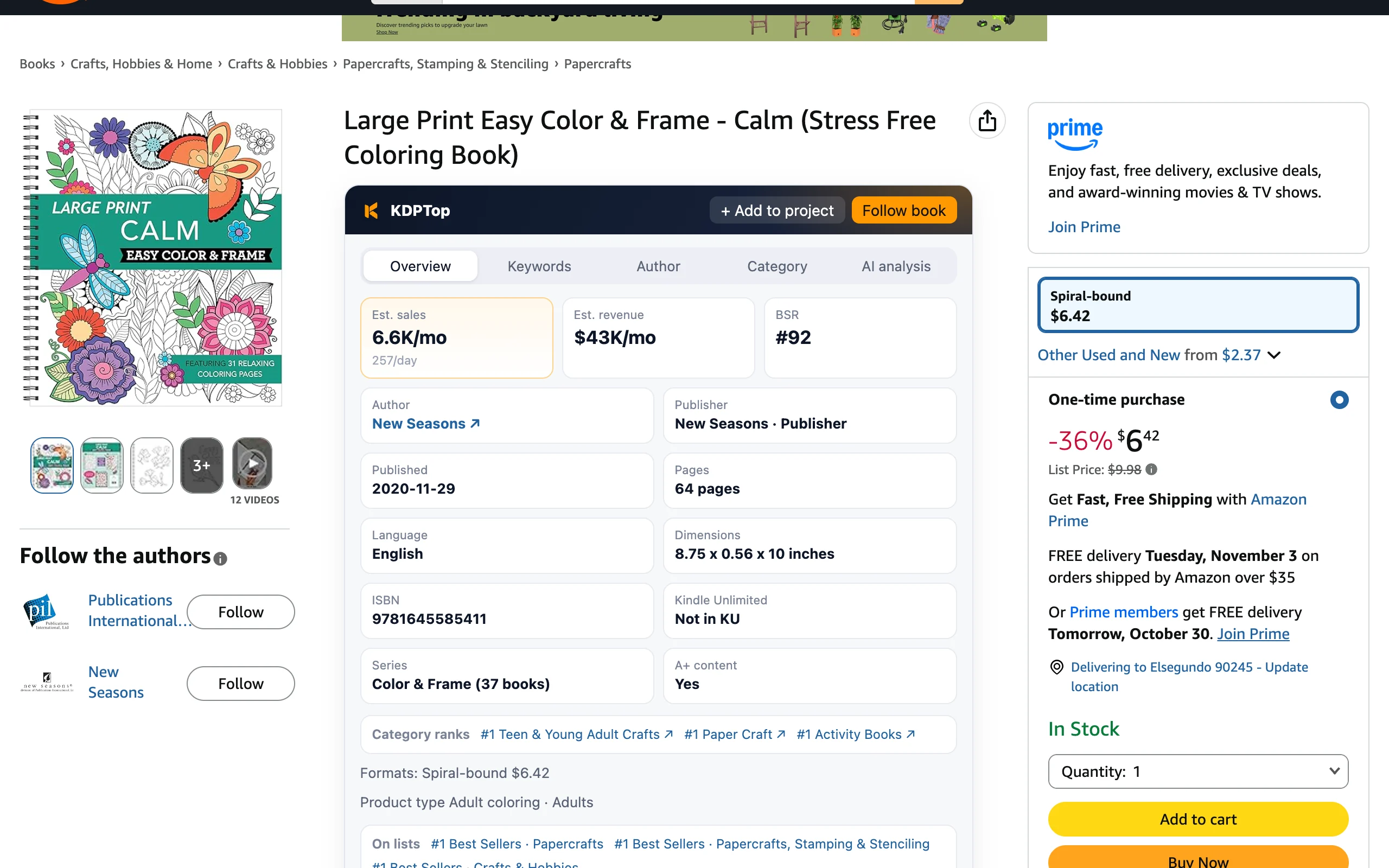
One card under the title with 5 tabs: overview (sales, publisher, pages, category ranks, KU), traffic keywords, author (works, new books, breakouts, one-click follow), category opportunity (score and Go / Watch / Skip, follow the category) and AI book analysis. Follow the book from the corner of the card; author pages get an author panel.
Search results & Best Sellers
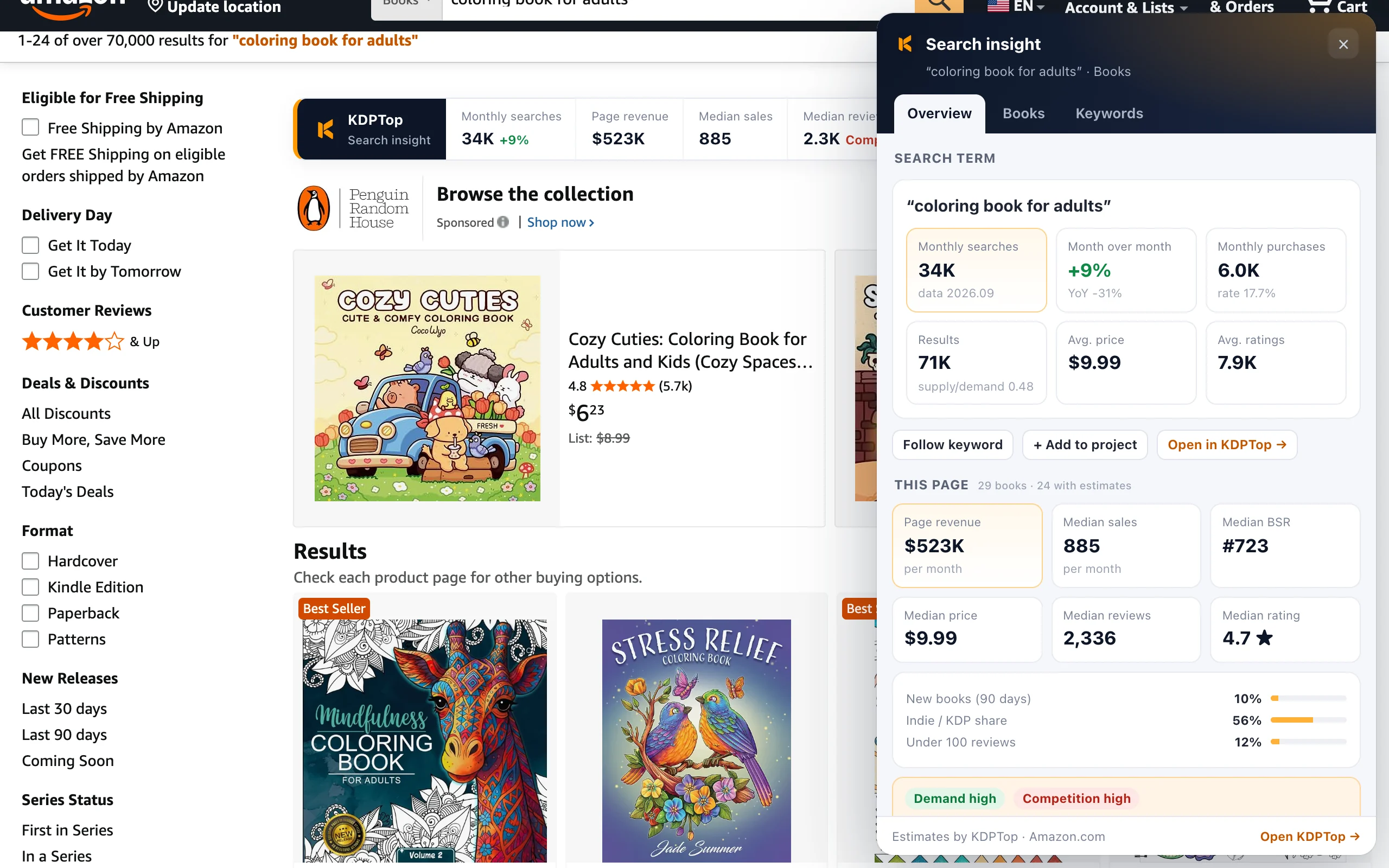
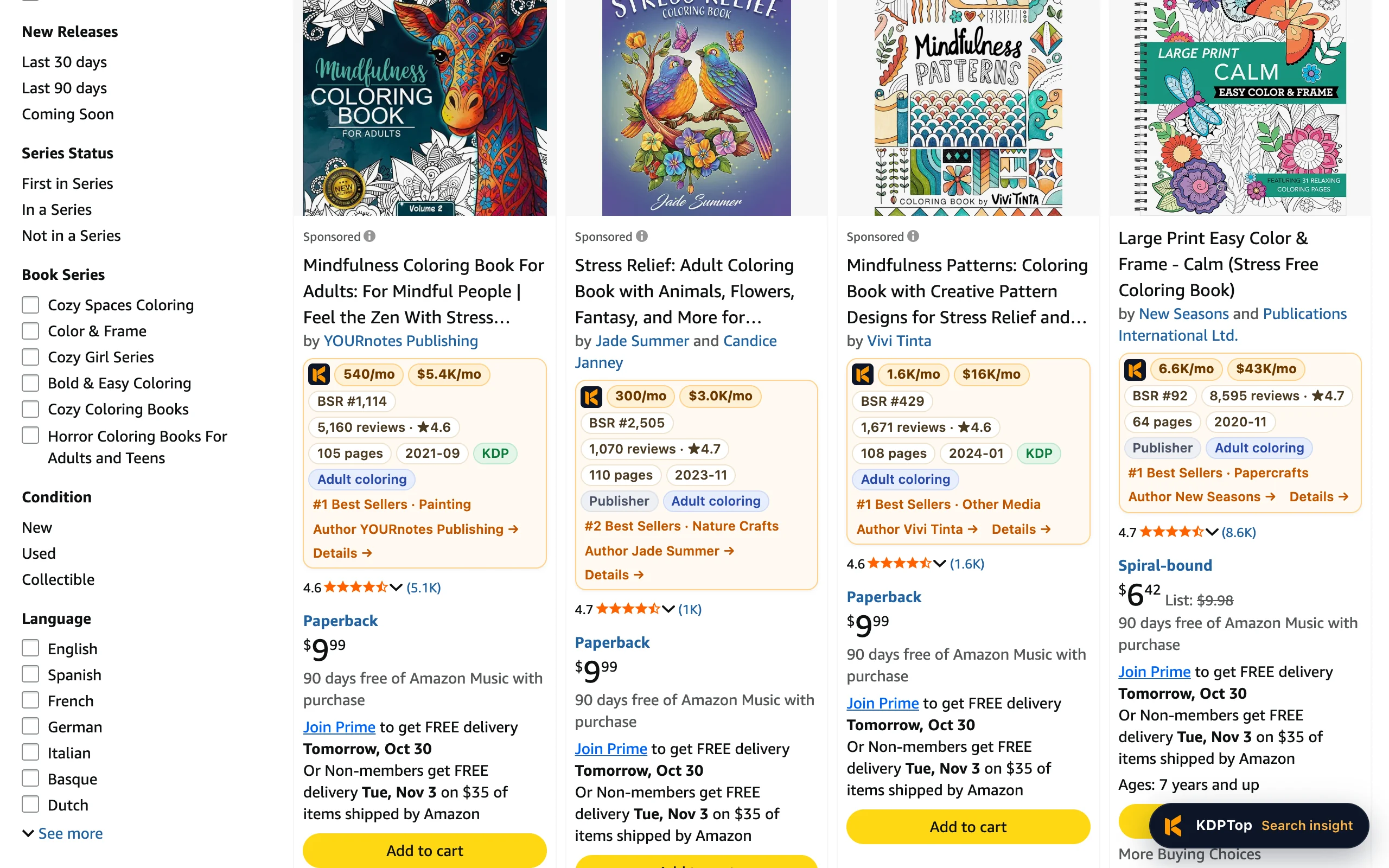
A data row under every book: monthly sales, monthly revenue, BSR, reviews and rating, pages, publication month, KDP / publisher and book type, with links to the KDPTop author and book analysis. "Search insights" at the bottom right sums up demand, competition, price band and review barrier for the page. One batch request per page counts as a single call.
KDP title setup
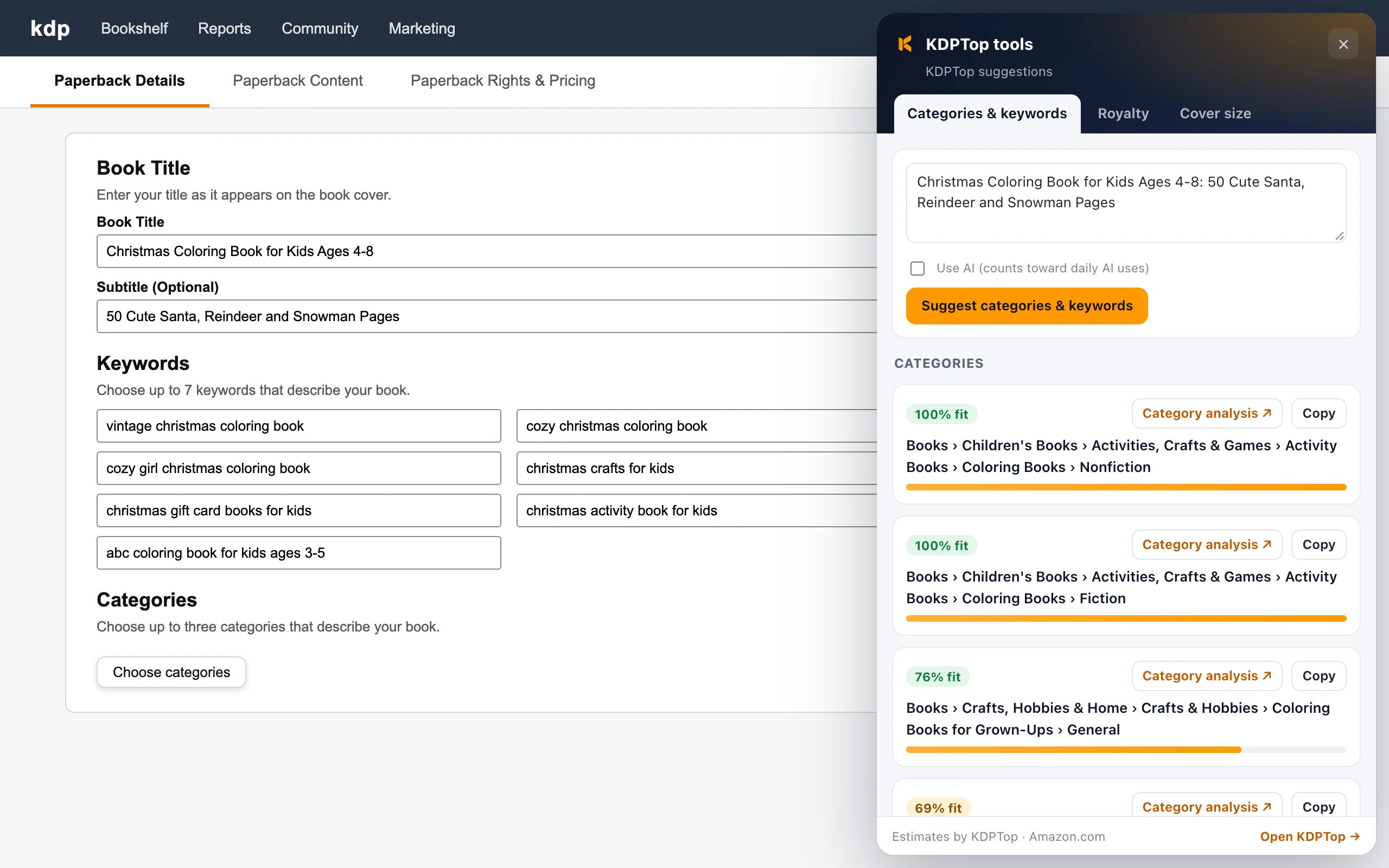
Click the KDPTop button while editing a book to get KDP categories (with full paths) and 7 backend keywords from your title, and fill them in one click. On any page, click the KDPTop toolbar icon to find categories from a description or a link.
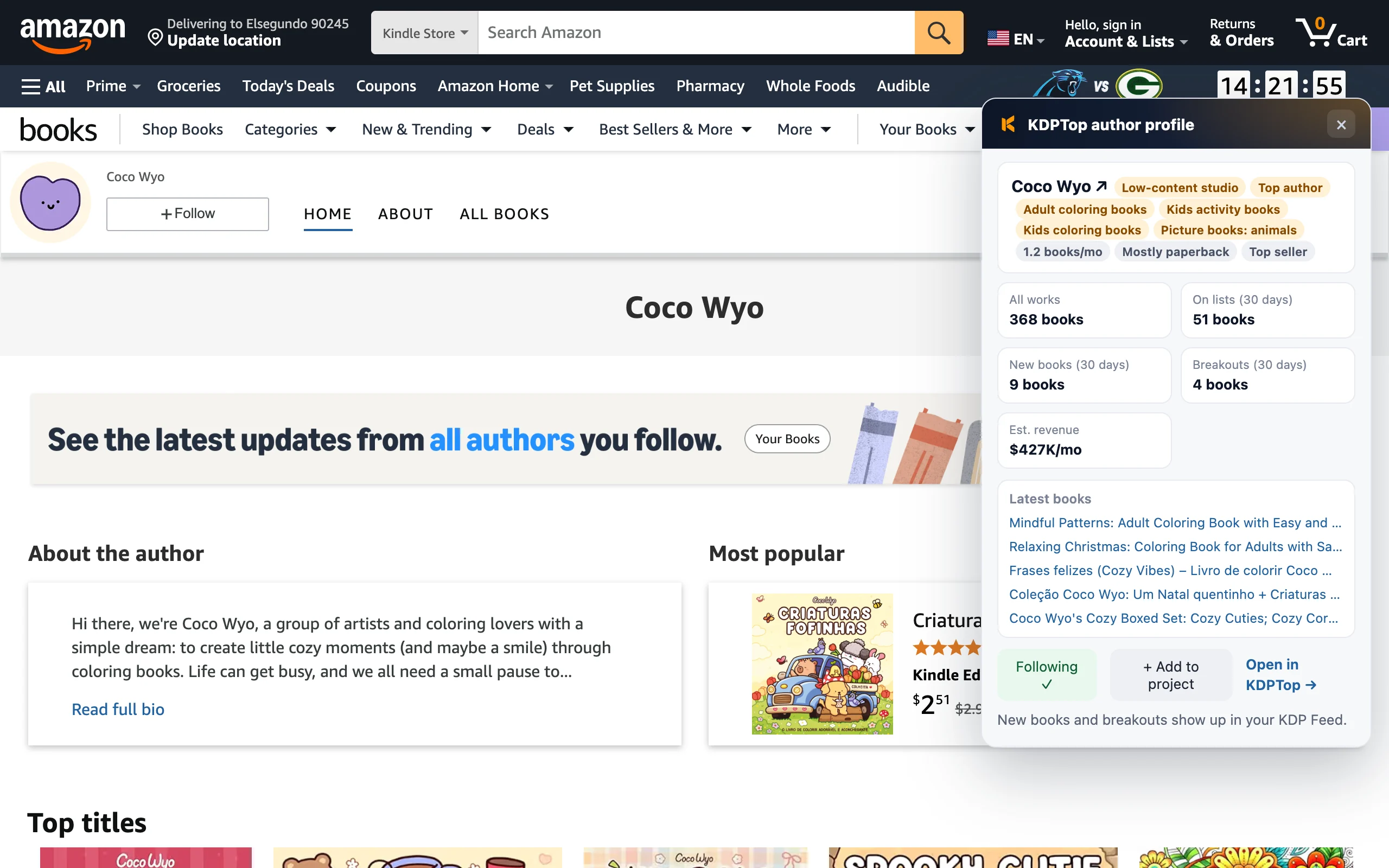
Author pages & jump-offs
On Amazon author pages, see the author's books, titles on the charts, breakouts and latest releases. Authors, categories and keywords in the extension all link to their KDPTop analysis pages. Books we don't track yet are queued automatically.
Install in about a minute
- 1Download and unzip
Click the download button above and unzip it to get a kdptop-extension folder.
- 2Open the extensions page
Go to chrome://extensions (edge://extensions on Edge) and turn on “Developer mode” in the top-right corner.
- 3Load the extension
Click “Load unpacked” and pick the kdptop-extension folder. Pin the KDPTop icon to your toolbar.
- 4Connect your account
The connect page opens after install. Log in to KDPTop and click “Connect extension”; no need to copy an API key.
FAQ
What data does it read?
The ASINs, BSR and prices shown on Amazon book, search and list pages (plus the search term on search pages), which are sent to KDPTop to compute estimates. It never reads your orders, account or KDP sales reports. "Data sharing" is off by default; only when you turn it on does it anonymously report public book data from those pages. See the privacy policy.
Why developer mode?
The extension is in Chrome Web Store review. Once listed, you can install it in one click with automatic updates. Until then, load it in developer mode.
How accurate are the estimates?
It uses the same BSR-to-sales curve as the website. Treat the numbers as orders of magnitude for comparing books.
How do I update it?
Download the zip again, replace the folder, then click the reload button on the extensions page.